Get straight to the work
Files, project search, the integrated terminal, and local Git review are ready when you need them.
 Lean VS Code
A CALMER CODE-OSS EDITOR
Open a project. Write code. Review your changes. Lean VS Code keeps the familiar tools and dials back the stuff that tries to grab your attention.
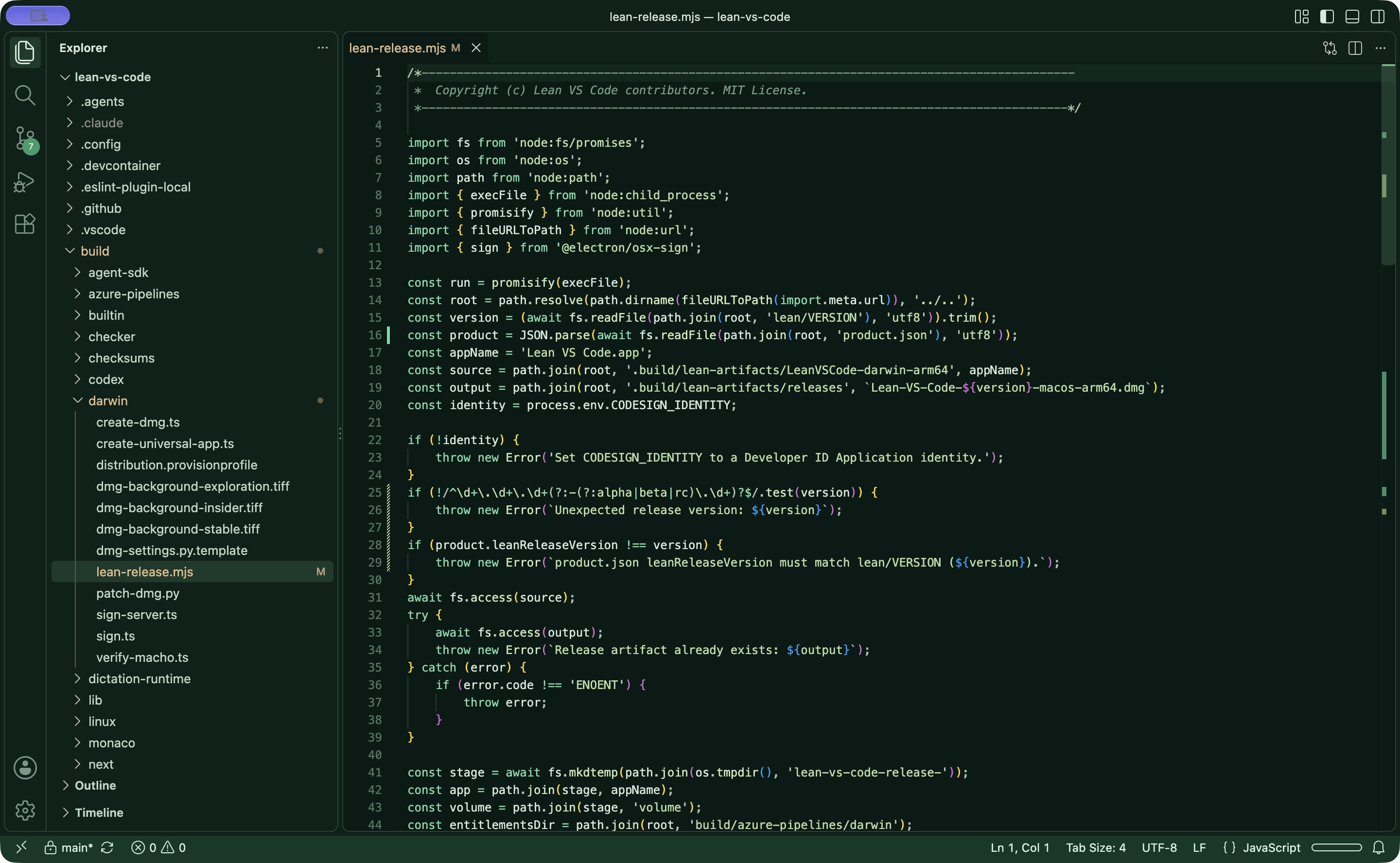
The editor, editing its own source. Take a closer look by opening the image.
THE GOOD PARTS STAY
Files, project search, the integrated terminal, and local Git review are ready when you need them.
A smaller set of extensions comes built in. Find more through Open VSX or install a local VSIX.
Lean VS Code has its own app identity, settings, and extensions, so it can sit beside VS Code.
WHY THIS FORK EXISTS
Code-OSS is a great foundation. Lean VS Code is a take on what happens when the editor puts writing code and reviewing local changes first.
It ships with fewer built-in extensions and turns off unsolicited AI prompts, recommendations, experiments, telemetry, and update checks in its default configuration. The editor and extension platform are still there; you decide what to add.
Read the project story on GitHubMADE FOR THE EVERYDAY LOOP
Inspect local Git changes side by side in the familiar diff view, then get back to your code.
See the open-source project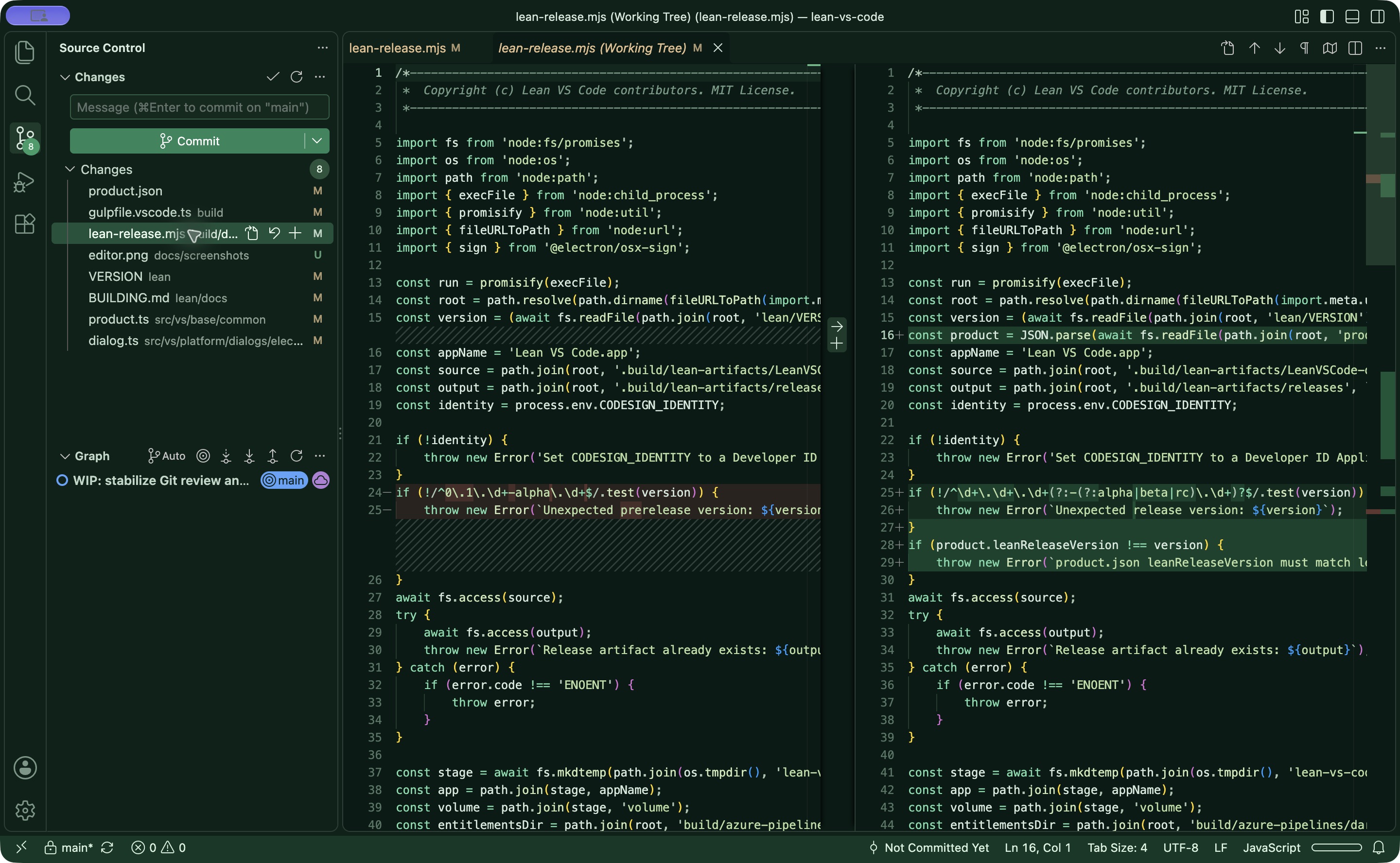
READY TO TRY IT?
Download the signed, notarized DMG from GitHub and drag Lean VS Code into Applications. The current release is for Apple Silicon Macs.
v0.2.0 has no automatic updater. Check GitHub Releases for future versions.